Browser extension
Coupon Codes Finder: the Rukn Coupons browser extension
When you open the site of a store we hold a live code for, the extension shows you that code and its conditions in the corner of the page. Copy it in one click and carry on shopping.
The extension is currently available for Chrome and Edge on a computer only. Open this page on your computer to install it.
What it does
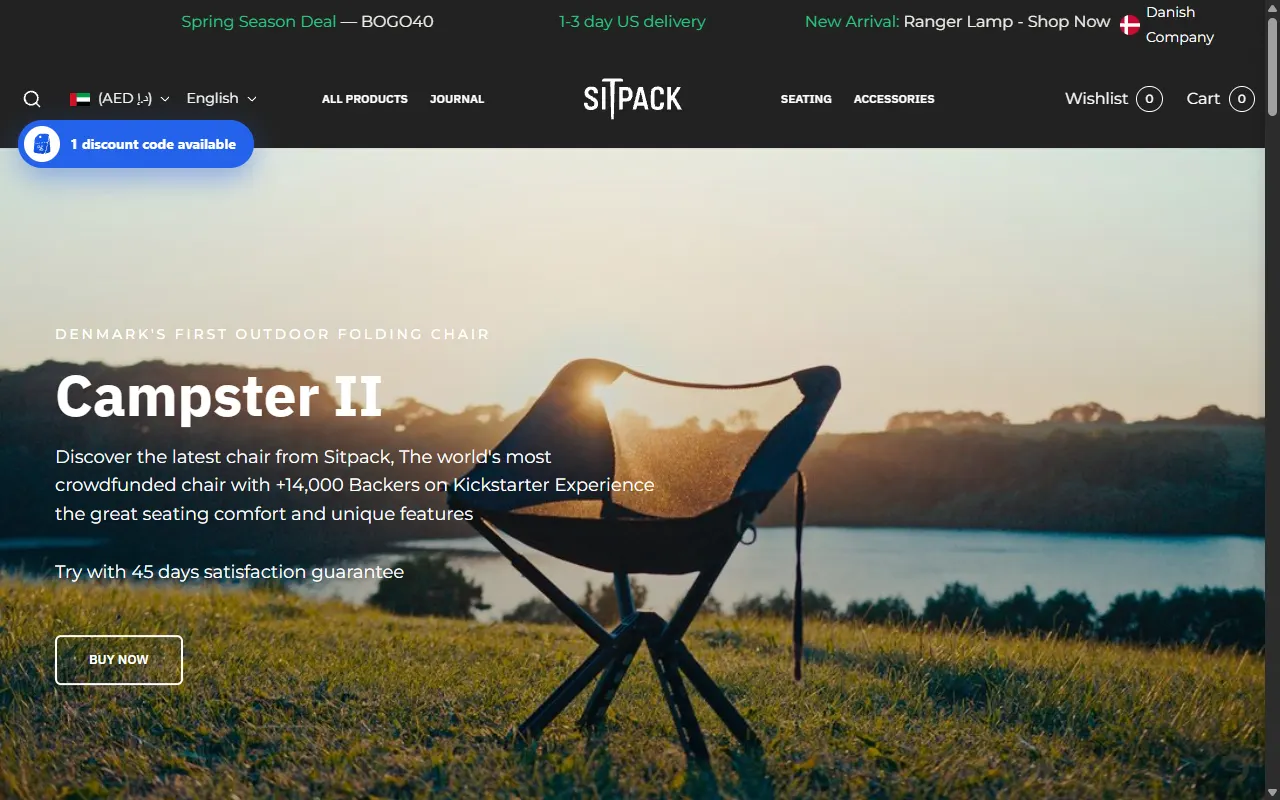
The code meets you at the store
On supported store sites, a button in the corner of the page tells you how many codes are available for that store. Click it to see them all.
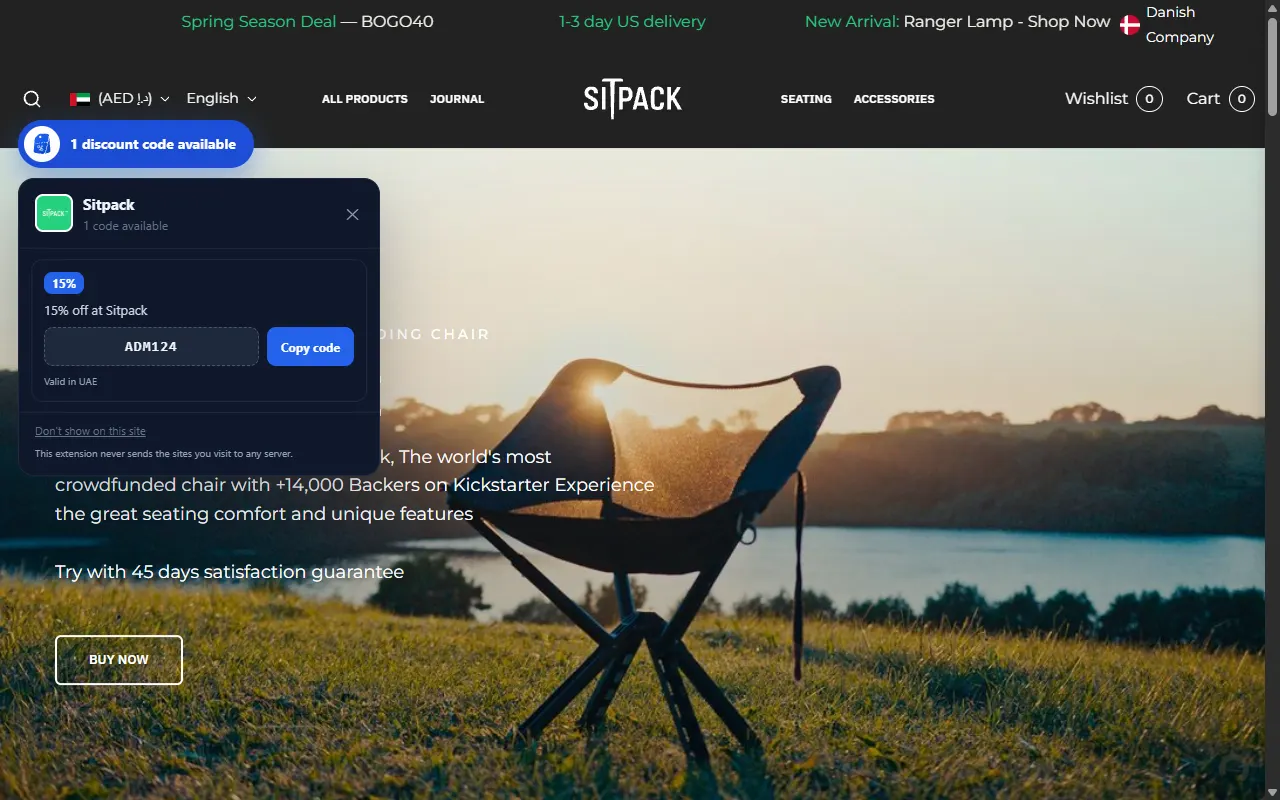
Conditions before you build a cart
Each code comes with what we know of its terms — minimum order, discount cap, expiry — and the date it was last tested by hand, when our team has tested it.
It copies the code, nothing else
The copy button puts the code on your clipboard. The extension does not change the store's links, open pages, or read your cart.
Your privacy
The extension never sends us the pages you visit. Every six hours it downloads the same public list of codes this website publishes, and matches the site you open inside your own browser. It chooses your market from your computer's time zone; you can change it from its window.
How to install it
- Click “Add to Chrome” on this page — the Chrome Web Store opens.
- Click “Add to Chrome” (or “Get” in Edge), then confirm.
- Open the site of any store in the list below — the button appears in the corner of the page.
Stores it works on in Qatar
Today it shows codes on 21 stores in Qatar. The list follows the codes we hold, so it grows and shrinks with them.
- Airalo
- Alibaba
- Bath & Body Works
- Dabdoob
- DermaZone
- Doctor Nutrition
- Glasseslit
- Hm
- Lookfantastic
- Mamas & Papas
- Metro Brazil
- Mumzworld
- Myprotein
- Namshi
- Niceone
- Noon
- Novakid
- Osma
- Reef Perfumes
- Sitpack
- The Luxury Closet